
{ "@context": "https://schema.org", "@type": "WebPage", "@id": "https://www.planaxion.com/en-ca/erp-decisions/dynamics-365-implementation-cost#webpage", "name": "Dynamics 365 implementation cost", "url": "https://www.planaxion.com/en-ca/erp-decisions/dynamics-365-implementation-cost", "inLanguage": "en-CA", "publisher": { "@type": "Organization", "@id": "https://www.planaxion.com/#organization", "name": "PlanAxion", "url": "https://www.planaxion.com/" } }

ERP Decision Guide

How much does a Dynamics 365 ERP implementation cost?

Microsoft licence prices are only one part of the budget. The full Dynamics 365 implementation cost depends on the processes in scope, business entities, integrations, data migration and work assigned to your team.
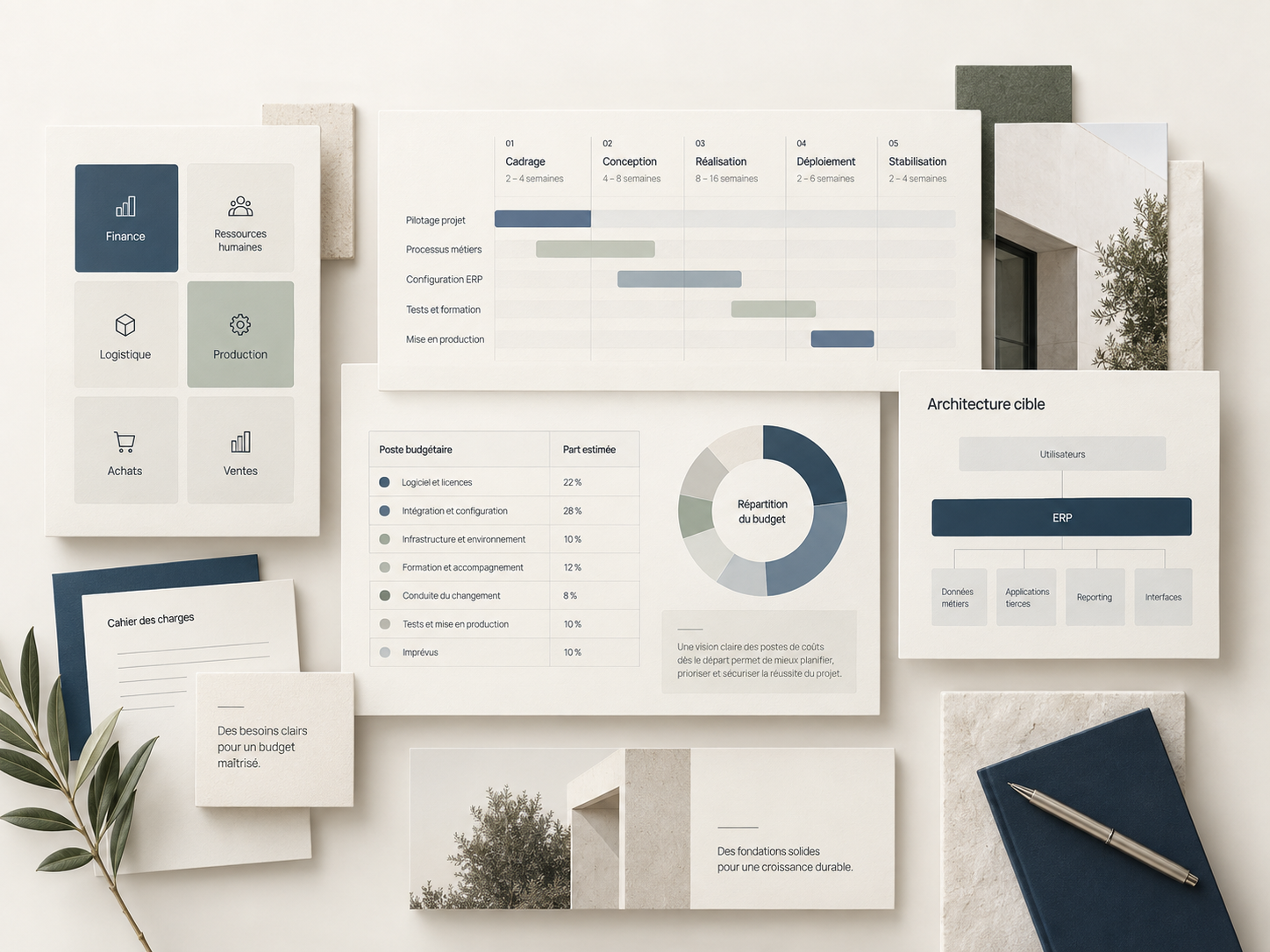
Editorial composition illustrating ERP project planning with modules, timeline, budget items, and target architecture.

What do Dynamics 365 licences and implementation actually cost?

In Canada, Microsoft lists Business Central Essentials at CAD $108.50 per user per month and Dynamics 365 Finance or Supply Chain Management at CAD $284.90 (billed annually, before tax, checked October 19, 2026). Those are licence prices, not implementation quotes. Integrations, migration, configuration, training and testing add to the budget.

Licenses + implementation + extensions + integrations + data + change management

  • The Microsoft ecosystem can reduce certain frictions if the architecture is consistent.
  • Extensions can accumulate, increasing the need for future testing and support.
  • Finance alone and multi-site Finance and Supply Chain Management are not the same project.

The items that really drive Dynamics 365 costs

Canadian Dynamics 365 licence list prices, checked October 19, 2026

Microsoft's public Canadian prices below are in CAD per user per month, billed annually, before tax:

  • Business Central Essentials: CAD $108.50.
  • Business Central Premium: CAD $149.20.
  • Business Central Team Members: CAD $10.90 for limited-access rights.
  • Dynamics 365 Finance: CAD $284.90; Premium: CAD $407.00.
  • Dynamics 365 Supply Chain Management: CAD $284.90; Premium: CAD $407.00.

Sources: Microsoft's official pricing for Business Central, Dynamics 365 Finance, and Supply Chain Management. List prices may change. Confirm your actual quotation and licensing rights. Do not automatically add every full licence price when one user accesses multiple applications: have the applicable licensing model reviewed.

Not included in those prices: project scoping, integrations, data migration, extensions, training, testing, internal staff time or post-launch support. Include these separate cost drivers in your budget:

  1. Applications and licensing. Finance alone, Supply Chain Management, Business Central, or a combination of applications create different scopes and architectural requirements.
  2. Design and configuration. Processes, security, workflows, financial dimensions, organizations, and business rules must be determined and then validated.
  3. Extensions and Power Platform. Every extension, automation, Power App, or custom logic adds to the design, testing, and maintenance requirements.
  4. Integrations. Azure, CRM, payroll, WMS, banking, e-commerce, and satellite systems must be budgeted as complete data flows, not just as simple APIs.
  5. Data. Cleaning, mapping, loading, historical data, and financial reconciliations require multiple cycles.
  6. Testing, training, and stabilization. UAT, go-live preparation, hypercare support, and post-deployment fixes must be included in the budget.

Assumptions to lock in to avoid inaccurate pricing

  • Functional scope. List the modules actually being deployed on day one.
  • Extensions. Separate standard functionality from what needs to be custom-built.
  • Interfaces. Specify the volume, frequency, criticality, and ownership of each integration.
  • Data. Define the objects to be migrated, the historical data to be retained, and the reconciliation criteria.
  • Client effort. Include the time required from process owners, super-users, IT, and finance teams.

An estimate only becomes comparable when every vendor prices the same scenarios, the same dependencies, and the same level of post-go-live support.

What to lock down before budgeting for Dynamics 365.

  1. Which functions are actually included in the initial go-live?
  2. Which extensions are necessary from day one?
  3. Which integrations have an owner and test data?
  4. Which part of the migration is the client responsible for?
  5. How will change requests be approved?

Frequently asked questions

Is Dynamics 365 less expensive than an enterprise ERP?

Sometimes, but the total cost depends primarily on the scope, extensions, integrations, and the ability to stay close to the standard.

Should Power Platform be budgeted separately?

Yes, when applications, automations, or reports become significant deliverables of the program.

Already have a Dynamics 365 proposal?

Before signing, have the exclusions, integrations and work left to your team reviewed. PlanAxion advises independently from Microsoft and the implementation partner.

Review my Dynamics 365 budget